Stanford University
A complete mobile production control room for Stanford's campus green screen studio — switcher, monitoring, and streaming in one compact cart.
The Challenge
Stanford University needed a complete mobile production system for their campus studio facilities that could serve multiple departments and use cases — from lecture capture and faculty presentations to medical simulation recording and telemedicine sessions. The system had to support multi-camera production with a video switcher, monitoring, wireless receiver systems, and a laptop workstation, all in a package that could be rolled between studios and classrooms and stored securely when not in use.
The green screen studio environment demanded a compact footprint that would not interfere with camera angles and lighting setups, while still giving the operator full access to every piece of equipment during live production. Previously, the university's production team spent approximately 30 to 40 minutes assembling a temporary production setup from loose equipment for each session, requiring two to three staff members to handle the cabling, monitor placement, and testing. With multiple departments sharing the same studio spaces, this setup and teardown cycle was consuming a significant portion of the available production schedule. Stanford needed a self-contained system that any trained operator could deploy quickly without specialized technical support.
The Solution
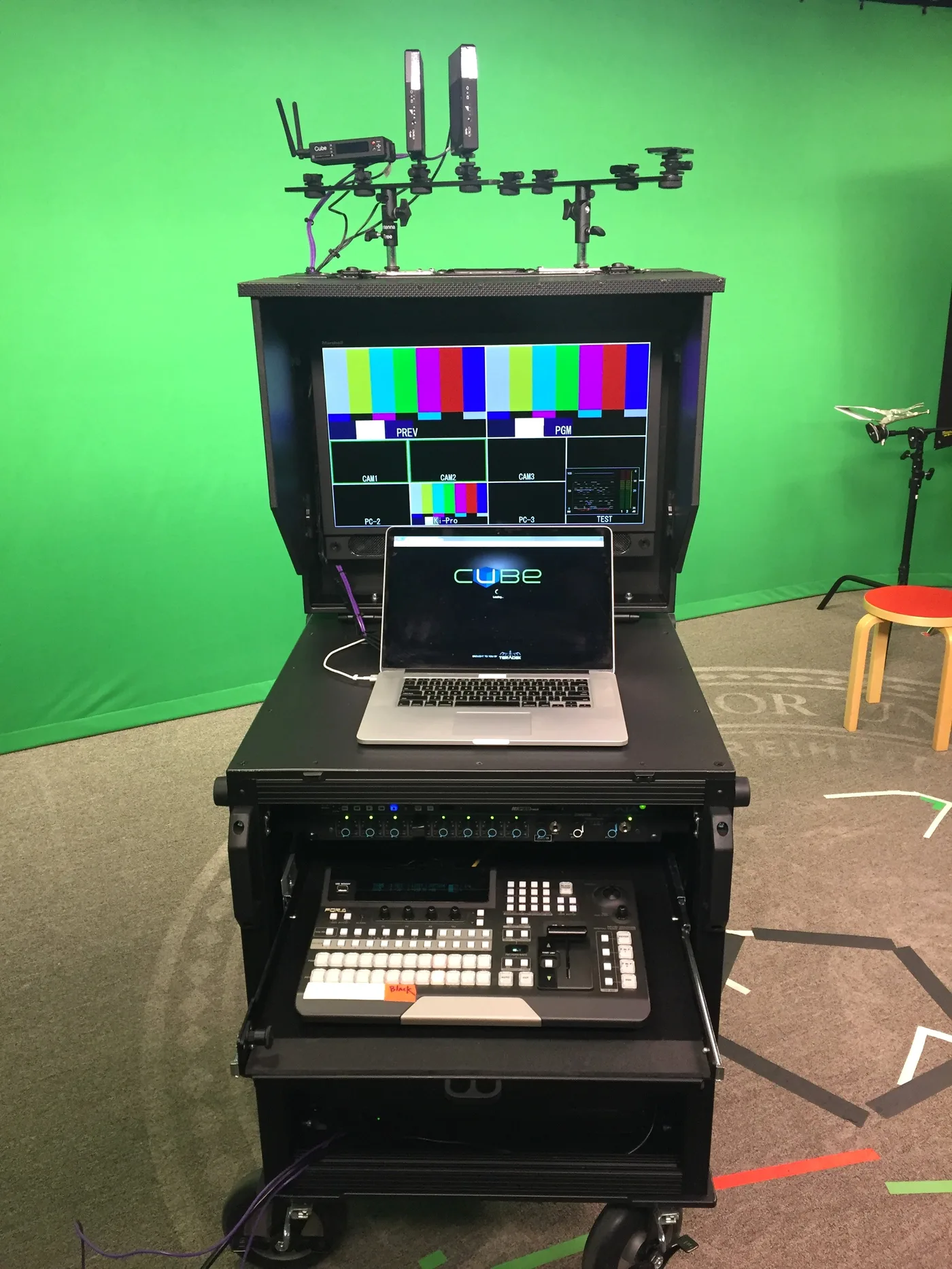
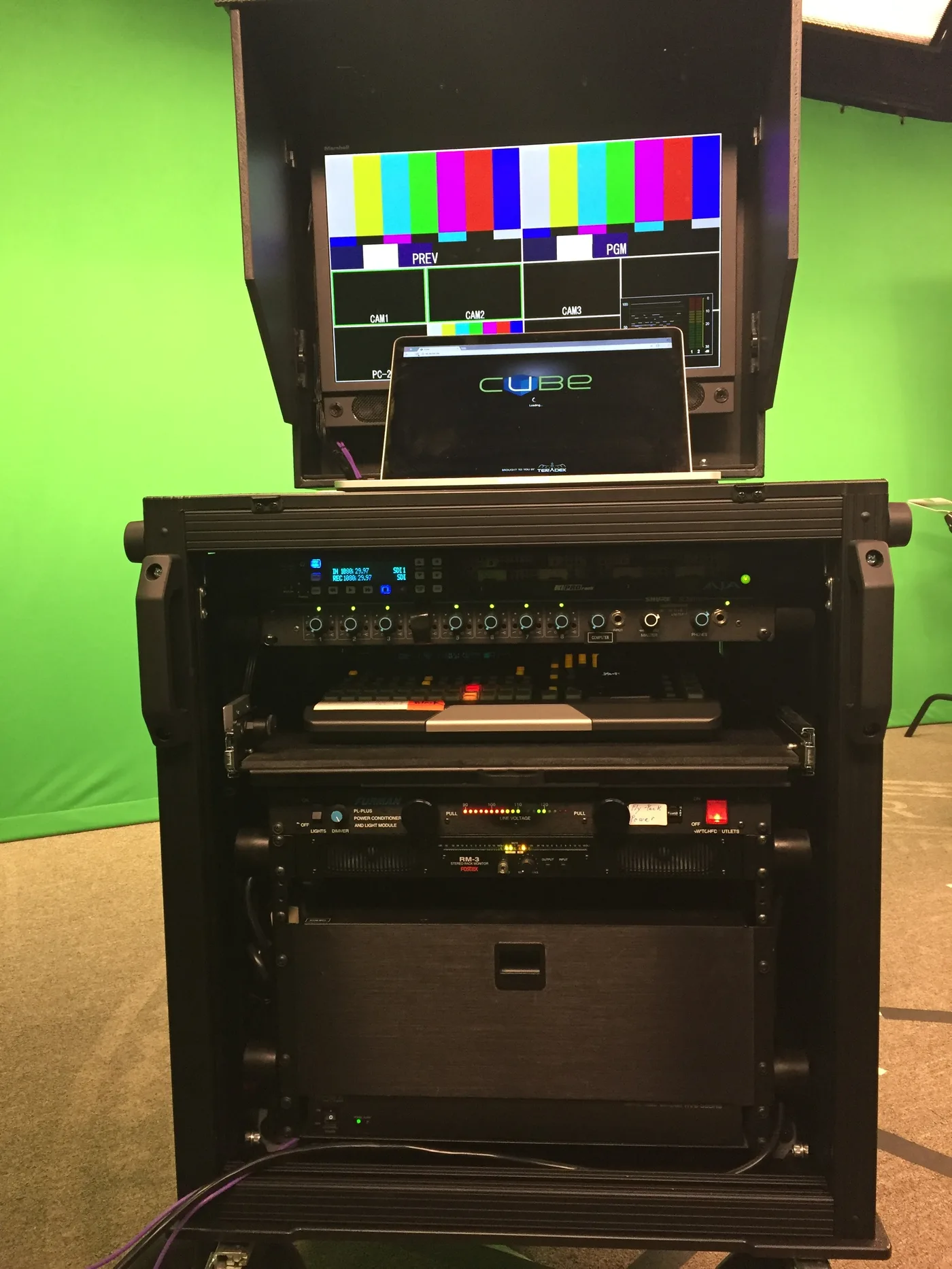
Bigfoot designed a custom Single Rack system built around Stanford's specific production workflow. The system integrates a multi-format video switcher in the lower rack section, a flip-up lid with a built-in production monitor showing all camera feeds, a laptop shelf for live graphics and streaming control, and wireless receivers mounted on top for talent microphones. The rack configuration was optimized to accommodate the specific switcher model and streaming encoder that Stanford's team already owned, ensuring full compatibility with their existing equipment inventory.
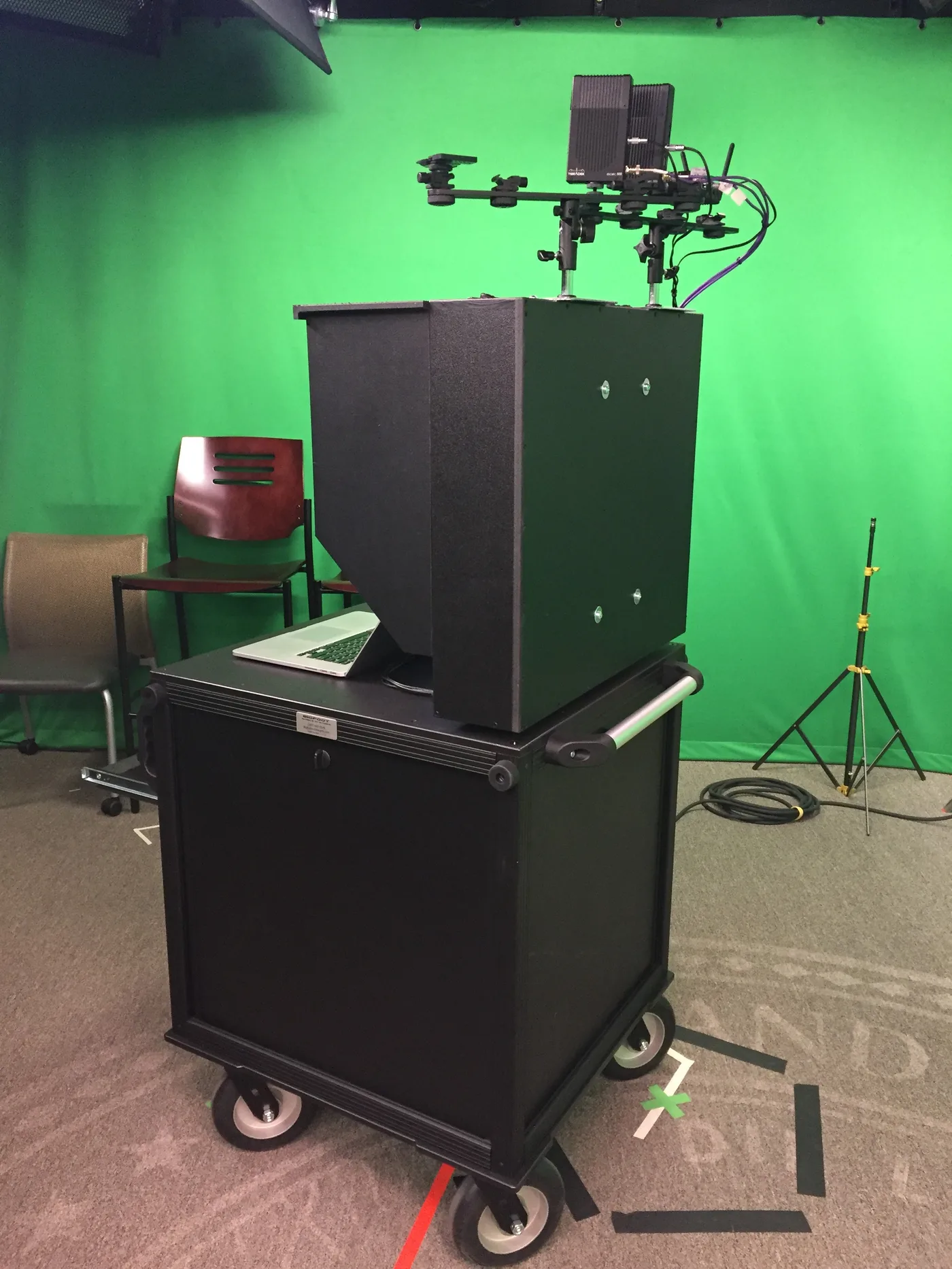
The compact footprint keeps the entire production control surface within arm's reach of a single operator, while the locking lid secures everything for transport and storage between sessions. Custom cable management channels route video, audio, and data connections through protected internal pathways so the system stays fully connected during moves between rooms. Power distribution was integrated with a single-point power connection, allowing the operator to plug in one cable and have the entire system powered and ready. The cart's height and monitor angle were specifically designed for comfortable seated or standing operation during extended lecture capture sessions that can run two hours or more.
The Build
The Results
Stanford's production team now has a self-contained mobile control room that sets up in minutes. One person can roll the cart into the green screen studio, open the lid, power on, and be ready to direct a multi-camera shoot. Setup time dropped from approximately 30 to 40 minutes down to under 5 minutes, and the number of staff required went from two or three people to a single operator. This efficiency gain has allowed the university to nearly double the number of production sessions they can schedule each week without adding staff.
The system handles everything from student projects to faculty presentations to medical simulation recordings and live-streamed campus events — all from a single Bigfoot cart that takes up less floor space than a desk. Since deployment, the system has supported an estimated 200 or more production sessions across multiple campus locations with zero equipment failures. The locking lid design has eliminated the equipment damage that previously occurred when loose gear was moved between rooms on standard AV carts. Stanford's media services team has reported estimated annual savings of approximately 15 to 20% on equipment maintenance and replacement costs. The success of this deployment has prompted inquiries from other university departments exploring similar mobile production solutions. Contact us to discuss a campus production system tailored to your institution's needs.
Build a Campus Production System
Tell us about your campus production needs and we'll design the right mobile system.
Start Your Custom Build